

-
Hello!
Please check the latest reWASD 6.2.1 version — it will let you minimize the Shortcut Press time up to 20ms. Other novelties are described in our announce post.Leave a comment:
-
Frankly speaking, I can't understand why it works But if it works, there is nothing wrong.
I do remember about being able to set the lower time. We will try to add this option soon.Leave a comment:
-
Forgot to say, option to lower the shortcut press time at rewasd still are the . The smaller the delay the better for everythings.
Just add a warning for those who set it lower than 50ms if necessary.Leave a comment:
-
I know only a bit about AHK, the whole thing is basically trial and error thing.
I don't trust anything , so i force it to do twice. It won't hurt[I can see that you send 2 key-up events for K (attack).
BTW, the numpaddot up selection are the most illogical thing of the script. It will produce extra J when ndot is pressed, but all the games i tested will treat it as one press, with or without the shortcut mode on... That thing will fix the height of the jumping. So... Oh well...
I remember you can do key-up thing in rewasd, anyway...
Actually i don't think about that one. But by the power of rewasd it will only output H.you get everything at once — K, J, H.
The fact is Ahk will always be the last one to modify/process any last output from any device or software.
Here is my guessing.
At the Rewasd side , it only handling the n0 and ndot for the shortcut and will not affected by any remapping of ahk. (No just because it got a higher priority but also ahk are not a Physical or Virtual device.)
When the shortcut is triggered , n0 and ndot are chorded (rewasd magic). Ahk got nothing to remap at that moment. So H will be the only output.
-----
KB hardware > Rewasd output > AHK output > Final output
1 native > set 1 to 2 > set 1 to 5 > press 1 = 2
1 native > set 1 to 2 > set 2 to 9 > press 1 or 2 = 9Leave a comment:
-
Hey there!
I am not to fluent with AHK, and so I do not understand some things. If it is OK, please describe with more details. I can see that you send 2 key-up events for K (attack). You are sending to of them to be sure that the game understands the the key is released? It is not possible to send key-up only event in reWASD, our Combos are working in a more native way
As for the final configuration, it seems that using the script, you bypass the delay reWASD adds to the buttons used in a Shortcut. I assume if you press both button together, you get everything at once — K, J, H. This is not allowed in reWASD because our idea of the Shortcuts lets you get a Shortcut mapping without the original input from both keys used there.Leave a comment:
-
Just upgraded my retiming script for the shortcut mode keys to V2.
1. The Jumping height are now matched with the native jump (tap/hold , from 80-90% to 100%) , you can't tell the different and it fixed not just one game.
2. Input blocking are fixed. (Found this issue after finished Forged In Shadow Torch with keyboard + shortcut mode )
)
With the old script
Holding JUMP(j) > Holding Attack(k) > Release JUMP > Press/Holding Jump (< this input is blocked until Attack is released)
I am happy with the shortcut mode + the retiming script V2 , so no hurry take your time.
Leave a comment:
-
I can't promise anything, but we'll take a look at this script with the team. If there is news, or we need more information, we will let you know.
Thank you for your initiative.Leave a comment:
-
You guys can look into this
https://www.autohotkey.com/board/top...ording-script/
This one is basically shortcut mode but written by AHK.
The related keys will keep a timing which is very close to native(the game react normally) and it let you to set the timing of keywait/delay you need.
Sadly this script got it's own bug (holding one of the related key for a time and press the other one will mostly trigger the target key...........)
But if it give any idea to improve the key timing of shortcut mode then that will be great.
Leave a comment:
-
Oh, got your point about different press times for the Jump button. Interesting.
Hope your solution works as you wish. Let us know about your findings.Leave a comment:
-
Execute at once combo won't work either , there are two problems with it.
1. The jumping height is fixed and limited because of the macro timing. (By using Execute at once mode). Most games let you jump higher if you holding the jumping key longer, You can not control the height anymore with it so i called it a deal breaker. (Sorry , i should explain it better, my bad)
2. Again, the shortcut mode will affect the timing even with the macro , you can set it to 10ms , but it will execute that as 8xms for every tap (but it is still better than 3ms or 1xxms... XD) So the character will drill longer by itself when you using any mode of macro .
I don't know what will happen or not, but i will keep using the script to smooth out the shortcut timing for every games. It is kind of unnatural but i believe it give me the best result and really solid , I am happy to live with that
Leave a comment:
-
Thank you for the research!
Hold until release mode won't work for your case. You need to create Execute at once combo only. If you choose Hold until release, then you get an ordinary mapping, it is the same if you do not use the combo at all.If you use the hold until release mode then the timing will turn back to a mess ...
I think the issue is connected to the timings only. The game waits while you press the key for some time, I think it is about 20-30 ms, this is the approximate time required to press a key quickly physically. If you still get inconsistent behavior, you may need to try different pauses (duration of the pressed key).
When you use Shortcut, reWASD replaces the normal button press to the Execute at once combo that lasts 10 ms only. And it seems it is not enough for your game.
Please check it with Execute at once combos. I hope it should solve the issue.Leave a comment:
-
Similarly, do rewasd need another method/mode to send the key ? Or a way to control the speed of key sending in general ?Leave a comment:
-
Thank for the trial of combo/macro mode so i can start to solve this problem with a different angle.
Short answer is i solved all of the critic problems caused by the shortcut mode , but not the way you may expect , ho ho ho.
And here is the report with a video below. A bit long but plz take a look.
The problems (bad keys timing and pacing in general)
1.Attack may charge itself even you are not holding the key
2.Jumping is shorter than native
3.Jumping input can be eaten , and happen a lot
4.input blocked or delayed
Using rewasd macro for the problems
Keep in mind that shortcut mode will always mess with the timing of the related keys
The good
No more eat input thing happening anymore
Improved but not perfect
The timing is still not correct but much reasonable than before.
Deal breaker
The jumping height is fixed and limited because of macro timing.
If you use the hold until release mode then the timing will turn back to a mess ...
Eat input and jumping short will also come back.
Because of these i consider it is fail and almost give up....
But wait ...
How about let the autohotkey to handle those keys with controllable macro While keeping the shortcut mode on.
So i created a simple script , and i can't believe it actually work... ;_;
Here is the video to show the shortcut problems and the effects of the script
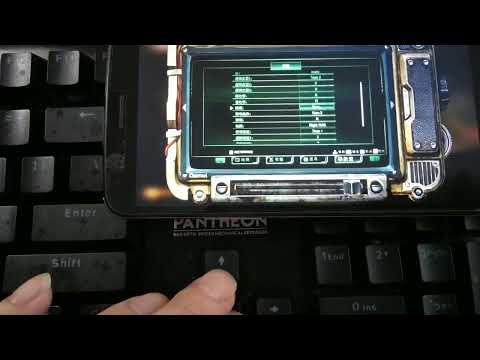
[Controls]
Autohotkey and game
numpad0 = k = attack
numpaddot = j = jump
H = Heavy attack / special
Rewasd (shortcut mode)
numpad0 + numpaddot = H
Additional explain
-Without the script, when you tap the attack button it will hold the button for you so it drilling longer... and sometimes it doesn't...
With the script , it will drill longer only when i hold the button for myself.
-I need to remap the key when the script is on , because the script is remapped numpad0 and numpad1
-The framerate of the video seem to be low and delay , but from my big screen is 60fps
;--------------The script for rewasd shortcut mode timing-----------------
#NoEnv
ListLines Off
Process, Priority, , A
SendMode Input
#Persistent
#MaxHotkeysPerInterval 99000000
#HotkeyInterval 99000000
#SingleInstance Force
numpad0:: ; Attack key (part of the shortcut)
Send {k down} ; Hold down attack key
Sleep 40 ; Hold for 40ms, normallize the shortcut insane timing
KeyWait, numpad0 ; Keep holding unless the attack key is released
Send {k up} ; Release attack key
return
numpaddot:: ; Jumping key (part of the shortcut)
Send {j down} ; Hold jumping key
Sleep 50 ; Increase the holding time from 3ms, to counter the short jumping problem
KeyWait, numpaddot ; Let' you jump higher until you release jumping key
Send {j up} ; Release jumping key
return
;=================END---------------------------------------------
Final Thought
This problem cause me a headache so i won't dig into it anymore, and the "solution" is good enough for me anyway.
I spotted some functions of rewasd are using the same funny key timing aside the shortcut mode...
They are functional but for the time Sensitive game and controls , not so much...
Like the last post mentioned before , their timing need to be normalized as mush as possible.
Autohotkey can send a key in different speed base on the mode you want. (send, sendevent...)
When i remap Elden ring with ahk , send mode will not work with it . But with sendevent it works.
Similarly, do autohotkey need another method/mode to send the key ? Or a way to control the speed of key sending in general ?
Leave a comment:
-
Thank you, done!
Please go to License tab ( at the bottom right) and press Refresh the activation status button at the top-right. You should see new trial days added.
Leave a comment:


Leave a comment: